
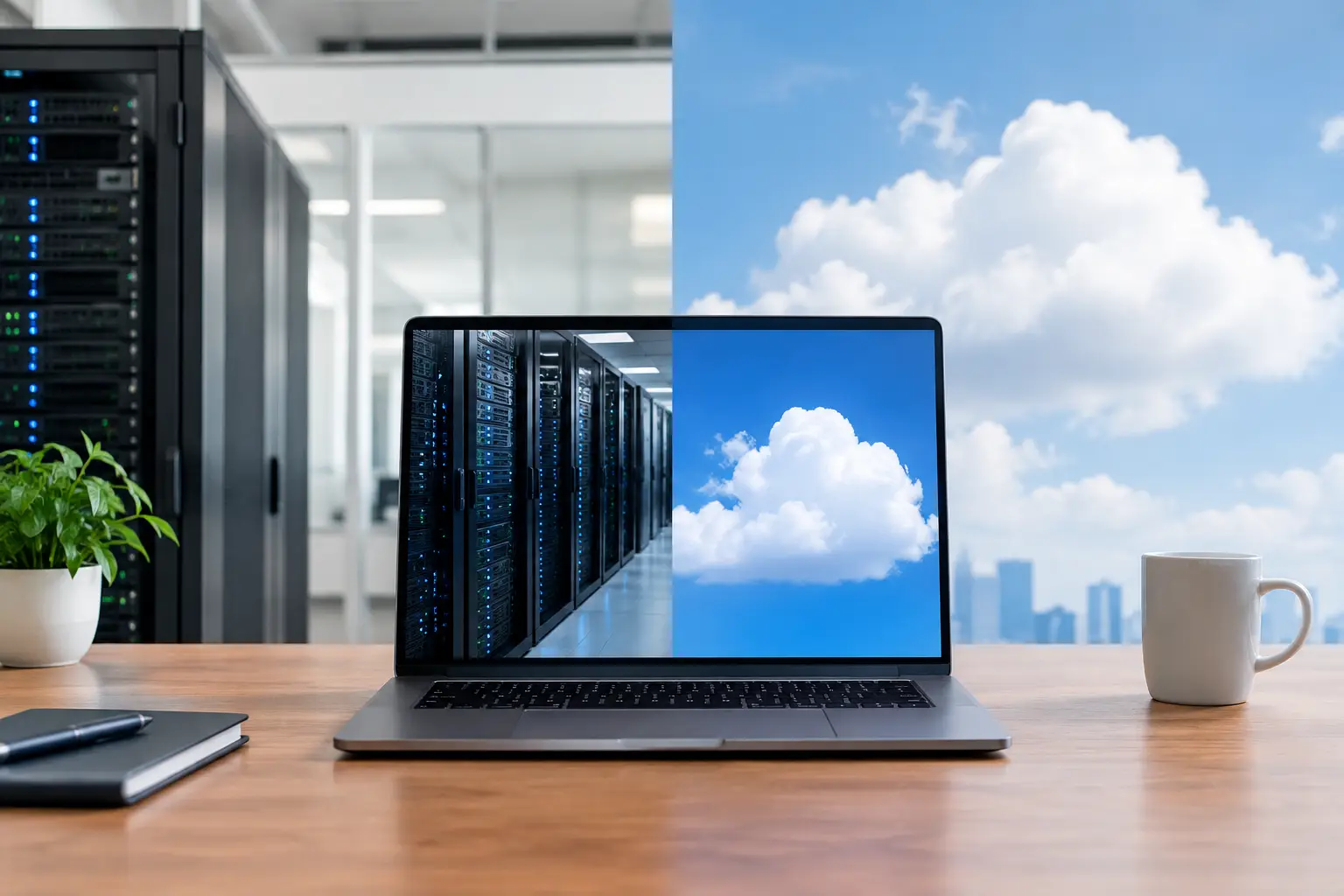
A server failure at 7:30 a.m. can stop a medical practice from accessing records, prevent a law firm from opening case files, or leave an office without email before the workday begins. The on premise versus cloud decision shapes how well your organization can recover from that moment, protect sensitive data, control costs, and keep people productive.
There is no universal winner. Some organizations need the control and low-latency performance of equipment kept in their own facility. Others need cloud flexibility, remote access, and less hardware to manage. Many businesses get the best results from a hybrid approach that uses both. The right answer starts with your workflows, security obligations, budget, and tolerance for downtime.
On Premise Versus Cloud: The Core Difference
On-premise technology runs on hardware your organization owns or leases and keeps at its office, data center, or another controlled location. Your servers, storage, networking equipment, and often your business applications are maintained locally. Your team or managed IT provider is responsible for monitoring, patching, backups, capacity, and replacement planning.
Cloud computing delivers infrastructure, applications, storage, or platforms through a provider’s data centers. Instead of operating every server yourself, you subscribe to services that can be accessed over the internet. Microsoft 365, cloud backup, hosted phone systems, and cloud-based line-of-business applications are familiar examples.
The difference is not simply “old technology” versus “new technology.” Well-managed on-premise systems can be highly effective, and cloud services still require careful configuration, access control, monitoring, and backup planning. The question is where your technology runs and who carries responsibility for each layer of it.
Where On-Premise Systems Make Sense
On-premise infrastructure can be a practical choice when an organization has predictable workloads, specialized applications, or strict requirements for direct control. A manufacturer may rely on systems that communicate with equipment on the shop floor. A public safety organization may need applications that perform reliably within a local network. A professional services firm may have a legacy database that cannot easily move to a hosted environment.
Local systems can also provide fast access to large files without relying on internet bandwidth. Design firms, video production teams, and organizations that work with high-resolution imaging may see performance benefits when files remain close to the people and systems using them.
Control is another advantage. Your organization determines the server specifications, configuration, upgrade schedule, and physical access policies. That control can help when a workflow has unusual technical demands or when compliance rules require detailed oversight of where and how data is handled.
However, ownership comes with responsibility. Hardware ages. Drives fail. Power events happen. Cooling, warranties, replacement parts, security patches, and tested backups all need attention. An on-premise server is not a one-time purchase. It is an ongoing operational commitment.
The Cost Profile of On-Premise Technology
The largest on-premise expense often arrives early: servers, storage, networking gear, licensing, installation, and backup equipment. Those capital costs can be easier to justify for businesses with stable needs and a long planning horizon, but they can strain cash flow for a growing organization.
Costs continue after deployment. You need support coverage, cybersecurity tools, backup storage, power protection, replacement planning, and experienced people to maintain the environment. A server that appears inexpensive after it has been fully depreciated may still create risk if it is unsupported, underpowered, or difficult to recover.
Where Cloud Services Make Sense
Cloud services are often a strong fit for organizations with remote or hybrid employees, multiple locations, fluctuating staffing levels, or a need to deploy systems quickly. Adding a user to a cloud productivity platform can be far easier than purchasing hardware and configuring a new local account structure. When a new office opens, cloud-based tools can reduce the amount of equipment that must be installed before employees can work.
Cloud systems can improve business continuity as well. If your office becomes inaccessible because of a fire, flood, power event, or regional disruption, employees may still be able to work from another approved location. That does not eliminate the need for a continuity plan, but it reduces dependence on a single building.
The cloud also shifts much of the infrastructure maintenance burden to the provider. The provider maintains the physical data center and underlying hardware. Your business can focus more attention on users, applications, data governance, and security policies.
That said, cloud is not automatic protection. A cloud provider may protect its infrastructure while your organization remains responsible for user permissions, identity security, retention settings, endpoint protection, and recovering data affected by accidental deletion or ransomware. The shared responsibility model needs to be understood before a problem occurs.
The Cost Profile of Cloud Services
Cloud spending is usually operational rather than capital spending. Instead of a major upfront hardware purchase, you pay recurring subscription fees. This can make budgeting more predictable and preserve capital for staffing, expansion, or other business priorities.
The trade-off is that recurring costs can rise over time. Per-user licensing, storage growth, premium security features, application subscriptions, and data transfer fees can create surprises if no one is reviewing usage. A business with a stable workload and already-depreciated equipment may find that moving everything to the cloud costs more than expected.
Cost control requires active management. Remove unused accounts, choose service tiers carefully, monitor storage, and evaluate whether every workload truly benefits from cloud hosting. The goal is not to move technology for the sake of moving it. The goal is to pay for services that improve operations.
Security Depends More on Management Than Location
Businesses sometimes assume that local servers are safer because the data is physically nearby. Others assume cloud platforms are safer because major providers have large security teams. Both statements can be partly true, and both can lead to mistakes.
An on-premise environment can be well protected with strong firewalls, network segmentation, multifactor authentication, endpoint security, patching, encrypted backups, and controlled physical access. It can also be exposed if updates are delayed, remote access is poorly configured, or backups are never tested.
Cloud platforms bring enterprise-grade security capabilities, but those controls must be configured correctly. An account without multifactor authentication, a shared password, overly broad file permissions, or an unmonitored administrator account can create a serious exposure regardless of the provider’s data center protections.
For regulated organizations, security decisions should include compliance requirements, data classification, retention rules, audit needs, and vendor agreements. Healthcare, legal, financial, and public-sector organizations should confirm that technology choices support their obligations rather than creating gaps that are discovered during an incident or audit.
A Hybrid Model Is Often the Practical Answer
Most small and midsize organizations do not need to choose one model for every system. A hybrid environment can keep a specialized application or local file workload on-premise while using cloud email, collaboration, offsite backup, disaster recovery, and identity management.
For example, an office may retain a local server for a line-of-business application that needs fast access, while employees use cloud email and securely access approved documents from home. Another organization may use cloud backup to protect local servers, creating an offsite recovery option if equipment is damaged or encrypted by ransomware.
Hybrid environments do require careful planning. User access, network performance, backup schedules, data ownership, and security controls must work together. Without clear design and support ownership, a hybrid setup can become harder to manage than either model alone.
How to Make the Right Decision
Start by looking at the business impact of your systems rather than starting with a preferred technology. Ask what employees need to access, where they work, how quickly systems must recover, and which applications cannot tolerate interruption. Then examine the age and condition of your current infrastructure, your internet reliability, and your internal capacity to manage technology.
Your decision should also account for growth. If you expect to add locations, hire remote staff, acquire another business, or increase storage needs, flexibility may matter more than the lowest short-term cost. If you have specialized applications with stable demand, local infrastructure may remain the better investment.
A useful assessment should include total cost of ownership over several years, not just the price of a new server or the first month of cloud licensing. It should identify cybersecurity requirements, backup and recovery objectives, compliance obligations, application dependencies, and the operational impact of downtime. This gives leadership a clear basis for deciding what to keep local, what to move, and what to retire.
AComp NJ helps organizations evaluate these decisions from the perspective that matters most: keeping the business running. A hands-on IT review can identify hidden risks, clarify costs, and build a plan that supports daily operations without forcing unnecessary change.
The best technology environment is the one your team can depend on when a deadline is tight, an employee works remotely, or an unexpected outage tests your preparation. Choose the model that gives your organization the right balance of control, resilience, security, and room to grow.